
Introduction
Exception handling is a fundamental concept in Java programming that enables developers to manage runtime errors gracefully. Instead of allowing your program to crash unexpectedly, exception handling provides a structured way to detect and handle errors, ensuring that your application remains robust, user-friendly, and maintainable.
In this Blog, we'll delve deep into the world of exception handling in Java. We'll explore what exceptions are, why they occur, and how Java's exception-handling mechanism works. We'll also discuss the different types of exceptions, how to create custom exceptions, and best practices to follow. By the end of this article, you'll have a solid understanding of exception handling and be well-equipped to implement it effectively in your Java applications.
Introduction to Exceptions
What Are Exceptions?
In Java, an exception is an event that disrupts the normal flow of a program's execution. It's an object that encapsulates an error event that occurred within a method and contains information about the error, including its type and the state of the program when the error occurred.
The Role of Exceptions
Exceptions are a communication mechanism between a method that encounters an error and the code that calls that method. When an exception occurs, the method throws an exception object, and the runtime system searches for an exception handler to process it.
How Exceptions Work
When a method encounters an issue it cannot handle, it creates an exception object and hands it off to the runtime system. This process is called throwing an exception. The runtime system then searches the call stack for a code block that can handle the exception. If it finds an appropriate exception handler, it passes the exception to it; otherwise, the program terminates.
Why Exception Handling is Important
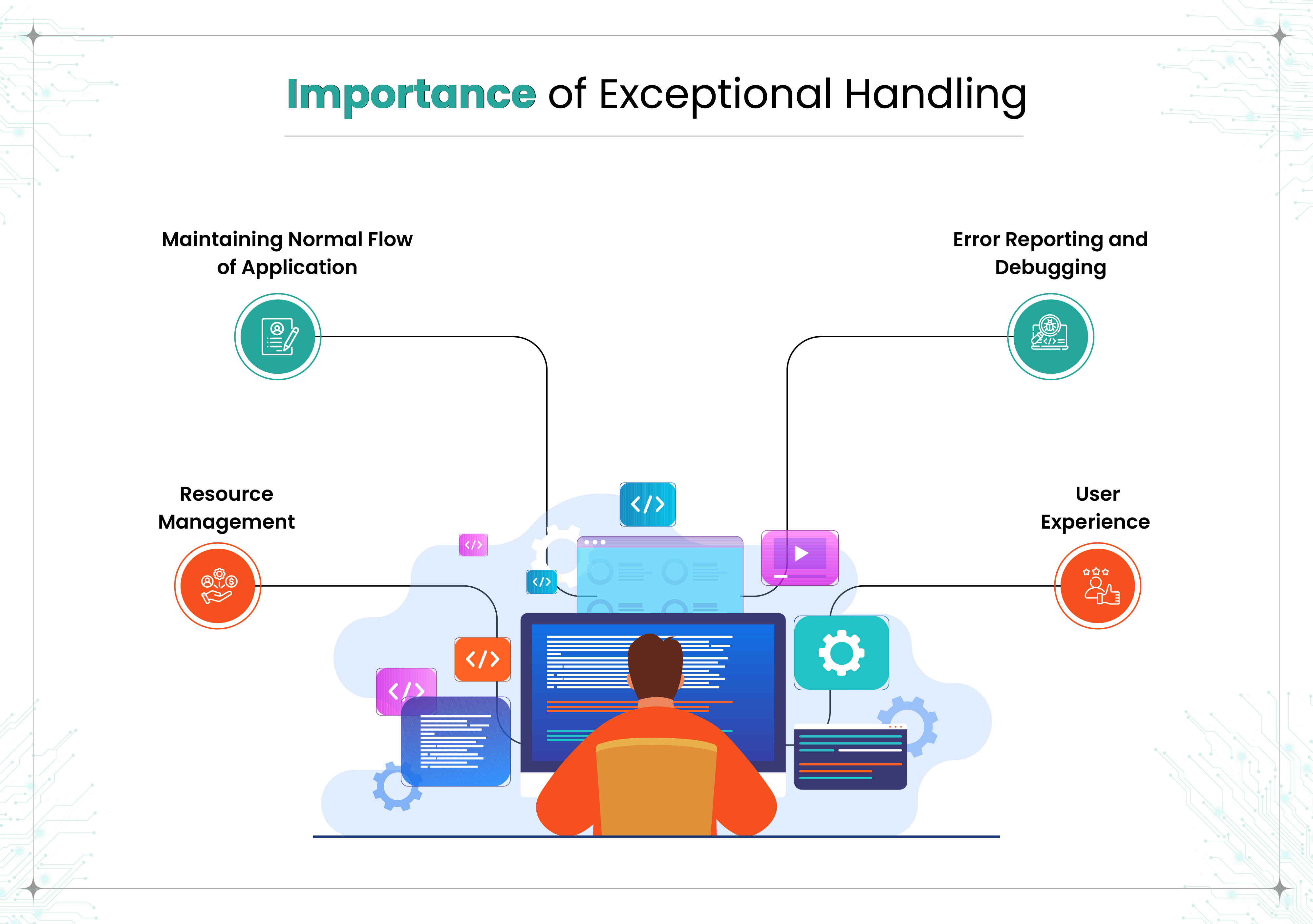
Maintaining Normal Flow of Application
Exception handling ensures that the normal flow of the application doesn't break when an error occurs. By catching and handling exceptions, you can prevent your program from crashing and provide alternative solutions or meaningful error messages to the user.
Error Reporting and Debugging
Proper exception handling allows you to log errors and understand what went wrong during execution. This is invaluable for debugging and improving the quality of your code.
Resource Management
Using exceptions, you can ensure that resources like files, network connections, or database connections are properly closed or released, even when errors occur. This prevents resource leaks and other unintended side effects.
User Experience
By handling exceptions gracefully, you provide a better experience for users. Instead of seeing a program crash or a stack trace, users receive informative messages and guidance on how to proceed.
Types of Exceptions
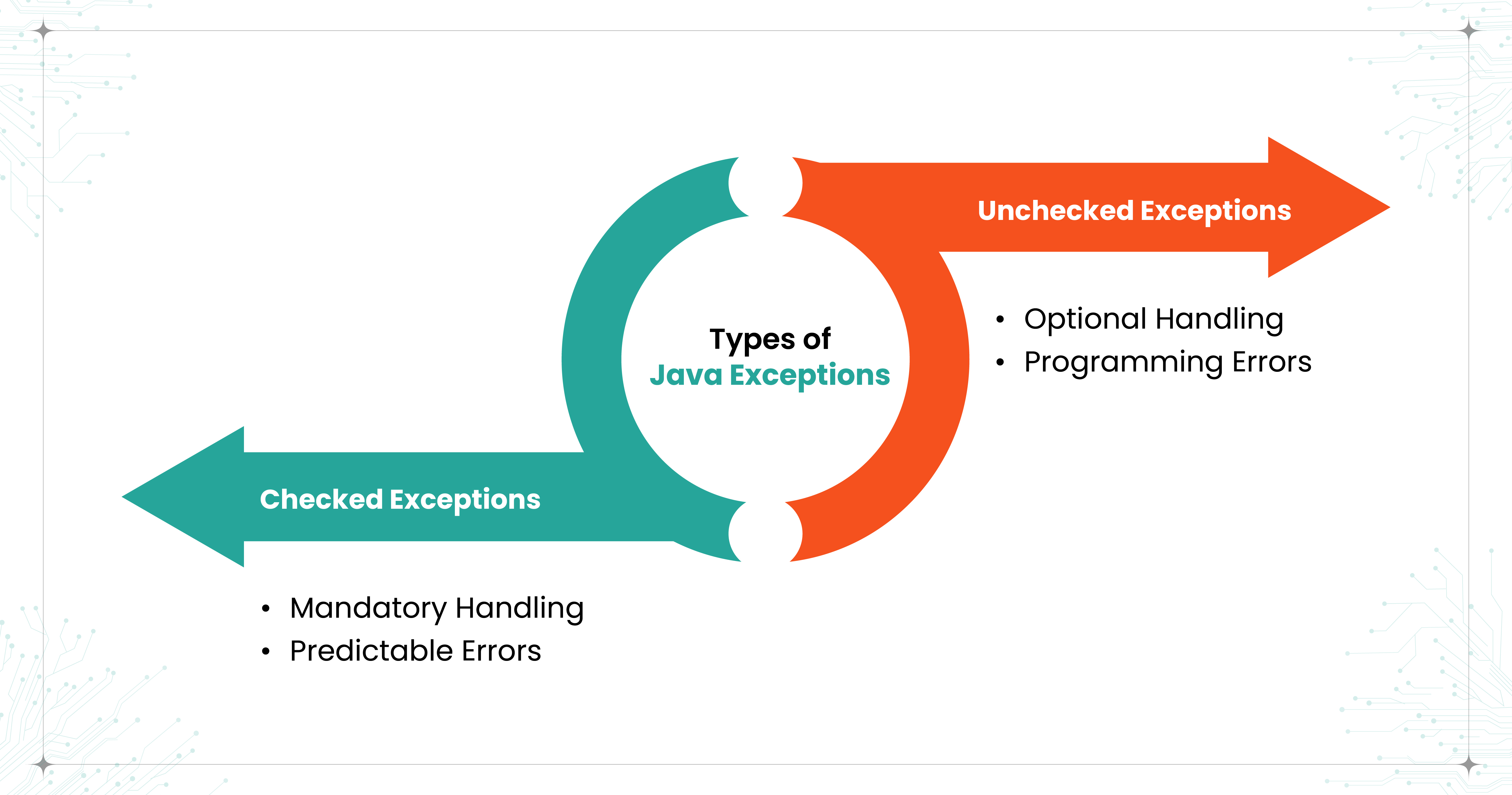
Java categorizes exceptions into two main types:
- Checked Exceptions
- Unchecked Exceptions
Understanding the difference between these two types is crucial for effective exception handling.
Checked Exceptions
Checked exceptions are exceptions that are checked at compile-time. The Java compiler requires that your code handles these exceptions explicitly, either by using a try-catch block or by declaring them with the throws keyword in the method signature.
Characteristics
- Mandatory Handling: You must handle checked exceptions; otherwise, your code will not compile.
- Predictable Errors: They represent conditions that a reasonable application might want to catch, such as file not found, network errors, or database access errors.
Examples
- IOException
- SQLException
- ClassNotFoundException
Example Code
java
In this example, FileReader may throw an IOException, which we must handle using a try-catch block.
Unchecked Exceptions
Unchecked exceptions are exceptions that occur at runtime and are not checked by the compiler. They are subclasses of RuntimeException.
Characteristics
- Optional Handling: You are not required to handle unchecked exceptions, although it's often a good idea to do so.
- Programming Errors: They usually represent programming errors, such as logic mistakes or improper use of an API.
Examples
- NullPointerException
- ArithmeticException
- ArrayIndexOutOfBoundsException
Example Code
Here, we're trying to access an index that doesn't exist in the array, which results in an ArrayIndexOutOfBoundsException at runtime.
Exception Hierarchy in Java
Understanding the exception hierarchy is essential for handling exceptions effectively.
The Throwable Class
At the top of the exception hierarchy is the Throwable class. All errors and exceptions are subclasses of this class.
Throwable
├── Error
└── Exception
├── RuntimeException
│ ├── NullPointerException
│ ├── ArithmeticException
│ └── ...
└── IOException
└── FileNotFoundException
Error
Errors are serious problems that applications should not try to handle. They are typically external to the application and are not meant to be caught or handled.
Examples:
- OutOfMemoryError
- StackOverflowError
Exception
Exceptions are conditions that applications might want to catch. They are further divided into checked and unchecked exceptions.
- Checked Exceptions: Must be declared or handled.
- Unchecked Exceptions: Subclasses of RuntimeException and are optional to handle.
Common Scenarios of Exceptions
Let's explore some common exceptions and why they occur.
1. ArithmeticException
Occurs when an illegal arithmetic operation is performed, such as dividing by zero.
Example:
2. NullPointerException
Occurs when attempting to use null in a case where an object is required.
Example:
3. ArrayIndexOutOfBoundsException
Occurs when trying to access an array index that is out of bounds.
Example:
4. FileNotFoundException
Occurs when attempting to access a file that does not exist.
Example:
Handling Exceptions in Java
Java provides a robust mechanism to handle exceptions using the try, catch, finally, and throw constructs.
The try and catch Blocks
try Block
A try block contains code that might throw an exception.
catch Block
A catch block is used to handle the exception thrown by the try block.
Example
Output:
csharp
Cannot divide by zero.
In this example, the ArithmeticException is caught and handled gracefully.
Multiple catch Blocks
You can have multiple catch blocks to handle different types of exceptions separately.
Example
Output:
Null pointer exception occurred.
The finally Block
The finally block contains code that always executes, regardless of whether an exception is thrown or caught.
Purpose of finally
- Resource Cleanup: Close files, release network resources, or free up memory.
- Guaranteed Execution: Ensure that important code runs even if an error occurs.
Example
Output:
IO Exception occurred.
File input stream closed.
Throwing Exceptions
Java allows you to throw exceptions manually and declare exceptions that a method might throw.
The throw Keyword
Purpose
The throw keyword is used to throw an exception explicitly.
Syntax
throw new ExceptionType("Error message");
Example
Output:
Exception in thread "main" java.lang.IllegalArgumentException: Age must be at least 18.
The throws Keyword
Purpose
The throws keyword is used in a method signature to declare that the method might throw certain exceptions.
Syntax
Example
Output:
An IO exception occurred.
Difference Between throw and throws
Creating Custom Exceptions
Sometimes, predefined exceptions are not sufficient to represent specific error conditions in your application. In such cases, you can create custom exceptions.
Steps to Create a Custom Exception
Extend the Exception Class
Throw the Custom Exception
Handle the Custom Exception
Output:
Negative numbers are not allowed.
Why Use Custom Exceptions?
- Specificity: Represent specific error conditions that are relevant to your application.
- Clarity: Provide clear and meaningful error messages.
- Organization: Keep your code organized by handling different exceptions differently.
Best Practices in Exception Handling
Following best practices ensures that your exception handling is effective and your code remains clean and maintainable.
1. Catch Specific Exceptions
Always catch the most specific exception first.
Example
2. Avoid Empty catch Blocks
An empty catch block can hide errors and make debugging difficult.
Bad Practice
3. Do Not Catch Throwable
Catching Throwable can catch serious errors that your application should not handle.
Bad Practice
4. Use finally or Try-With-Resources for Cleanup
Ensure that resources are always released.
Using finally
Using Try-With-Resources (Java 7+)
5. Provide Meaningful Exception Messages
Include clear and informative messages when throwing exceptions.
6. Do Not Use Exceptions for Control Flow
Exceptions should not replace normal control flow statements like loops and conditionals.
Bad Practice
Better Approach
7. Log Exceptions Appropriately
Use logging frameworks to log exceptions for debugging purposes.
8. Rethrow Exceptions if Necessary
If you catch an exception but cannot handle it meaningfully, consider rethrowing it.
Conclusion
Exception handling is an essential aspect of Java programming that you, as a developer, must master to create robust and reliable applications. By understanding how exceptions work, the difference between checked and unchecked exceptions, and how to handle them effectively, you can prevent unexpected crashes and provide a better user experience.
Remember, exceptions are not just errors; they are a communication mechanism that indicates something unusual has happened. Properly handling exceptions allows your application to recover gracefully or fail in a controlled manner.
As you continue your Java programming journey, always consider exception handling as a critical part of your code. Implement the best practices discussed in this guide, and don't hesitate to create custom exceptions when the situation calls for it. Your future self and your users will thank you for writing clean, maintainable, and reliable code.
Ready to take your Java skills to the next level? Join Cogent University's
8-Week Bootcamp and gain hands-on experience with industry experts. From mastering exception handling to building robust applications, this immersive program is designed to fast-track your career in software development. Enroll now and turn your coding potential into professional success!


.png)